Pull Requests
Pull requests are a fundamental feature of Git hosting platforms like GitHub, GitLab, and Bitbucket. They provide a way to propose changes to a repository and facilitate code review and collaboration. In this section, we'll learn how to create, review, and merge pull requests.
In this video, we'll introduce the concept of contributing to open-source projects:
Show/Hide Video
Now that you have a basic understanding of pull requests, let's dive into the details of how to create and manage them.
Creating a Pull Request
Before you can create a pull request, you need to have a fork of the repository you want to contribute to. After cloning the repository and making your changes, you can create a pull request to propose those changes to the original repository.
This video will walk you through the process of creating a pull request on GitHub:
Show/Hide Video
Some tips for writing good pull request descriptions include:
Title: A clear, concise title that summarizes the changes
Description: Detailed explanation of what was changed and why
Testing: Information about how the changes were tested
Screenshots: Visual changes should include before/after screenshots
Related Issues: Reference any issues that the PR addresses
Merging Pull Requests
Merging a pull request is actually pretty straightforward. As a student contributing to open-source projects, you typically won't be the one merging pull requests.
Additionally, you should always be cautious when merging pull requests, especially from external contributors! Review the changes carefully and ensure they meet the project's standards before merging.
Show/Hide Video
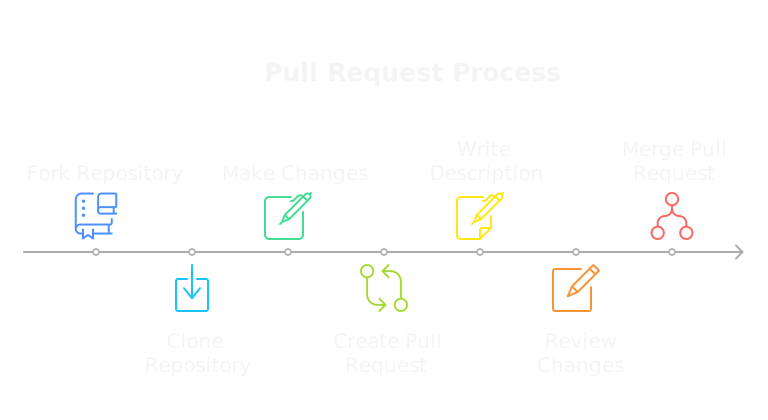
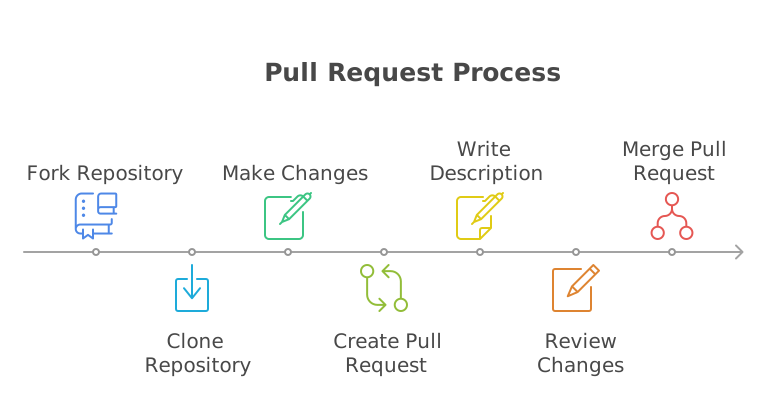
Again, as a student contributing to open-source projects, you typically won't be the one merging pull requests. Even when you're working professionally, you'll often have a team lead or senior developer handle the merging process to ensure code quality and consistency.
Pull Request Best Practices
When you're creating pull requests, it's important to follow best practices to ensure a smooth review process and successful integration of your changes. Here are some recommended practices to keep in mind:
Keep PRs Small: Smaller pull requests are easier to review and less likely to cause issues
Use Descriptive Titles: Make it clear what the PR does
Write Clear Descriptions: Explain the what, why, and how of your changes
Update Documentation: Keep documentation in sync with code changes
Test Thoroughly: Ensure your changes work and don't break existing functionality
Be Responsive: Respond to feedback and questions promptly
Follow Project Guidelines: Adhere to the project's contribution guidelines
Exercise 2
Show/Hide Video
For this exercise, you will create a pull request for the following project:
Visit the VCE Contribute repository.
Fork the repository to your GitHub account and clone it to your computer.
Find the markdown file that corresponds with your class. (E.g.,
fall25.mdfor Fall 2025).Add your name (linked to your GitHub profile), along with a brief description of yourself or your interests.
Commit your changes, and push them to your forked repository.
Create a pull request from your forked repository to the original
fvtc/vce-contributerepository.
Hints
How do I create a pull request?
Once you have pushed your changes to your forked repository, you can create a pull request by clicking the "Contribute" button on your repository page and selecting "Open pull request." Fill out the title and description, then submit the pull request.
Submission
Submit the link to your pull request in the text area below. The url should look something like this: https://github.com/fvtc/vce-contribute/pull/{number}