Introduction to Git
What is Git?
Before we start using Git, let's take a moment to understand what it is, and why it is so popular. Over 70% of developers worldwide use Git. Git is a free, open-source version control system.
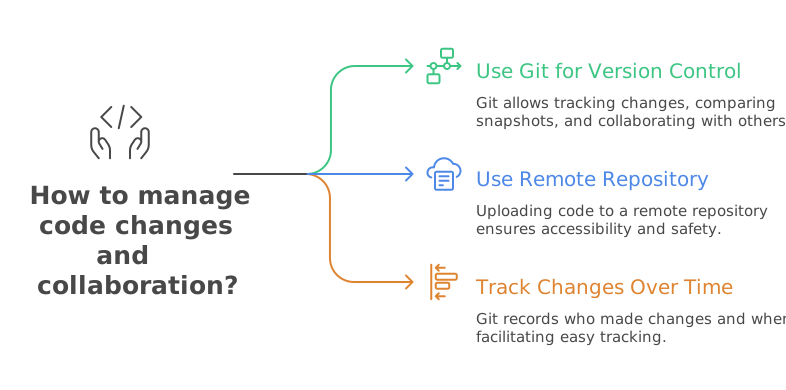
Git allows you to keep track of changes to your code by creating snapshots of your project at different points in time. Then, you can compare these snapshots to see what has changed.
Git also lets you upload your code to a remote repository, this allow you to access your code from anywhere, collaborate with others, and keeps your code safe in case something happens to your computer.
As you create these snapshots, Git keeps track of not only the changes you make to your code but also who made the changes and when they were made. This makes it easy to see what has changed in your project over time.
This video will give you a brief overview of Git and its features:
Show/Hide Video
Next, we will talk about some Key Concepts in Git.
Key Concepts
Let's go over some of the terminology you will encounter when using Git:
Show/Hide Video
Git: Git is software that allows you to keep track of changes to your code. It is a free, open-source version control system. It has become the standard for version control in the software development industry. In the next section, we will check to see if Git is already installed on your computer, and if not, we will install it.
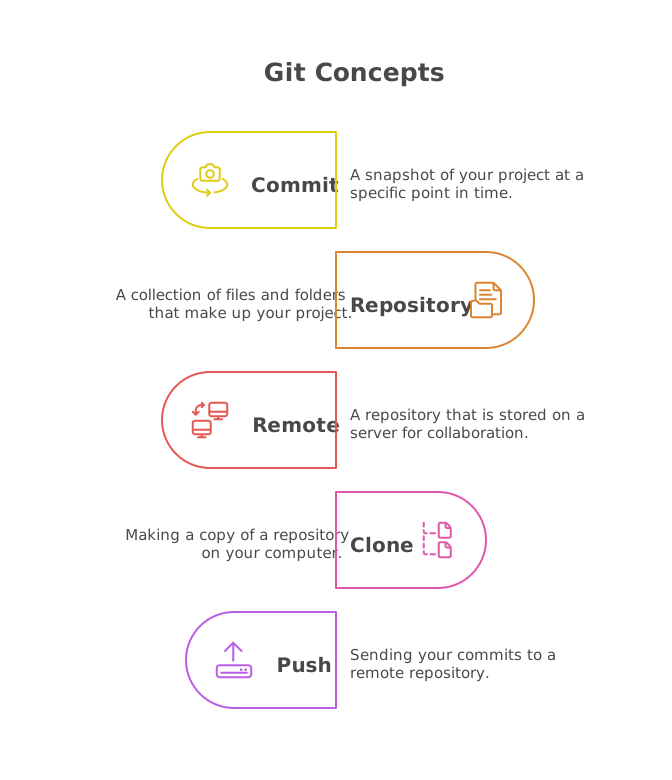
Commit: A commit is a snapshot of your project at a specific point in time. I like to think of a commit as a save point in a video game. If something goes wrong, you can always go back to a previous commit.
Repository: A (local) repository is a collection of files and folders that make up your project. It is stored on your computer and contains all of the information about your project, including the history of changes to your code.
Remote: A remote (repository) is a repository that is stored on a server. This allows you to collaborate with others and share your code with them. In this course, we will be using Github and Azure DevOps to host our remote repositories. These are the two most popular platforms for hosting Git repositories, though there are many others.
Clone: Cloning a repository means making a copy of it on your computer. This allows you to work on the project locally without affecting the original repository.
Push: Pushing changes means sending your commits to a remote repository. This allows others to see your changes and collaborate with you.
Others: We will be covering more concepts in upcoming lessons, such as branches, pull requests, and merging. These are more advanced concepts that you will need to know as you become more comfortable with Git.